As default with the new Adobe Acrobat DC Update, your program will open PDFs as tabs in one single window. This article will walk your through the steps to change the settings to allow your PDFs to be opened in separate windows.
- Open Adobe Acrobat DC
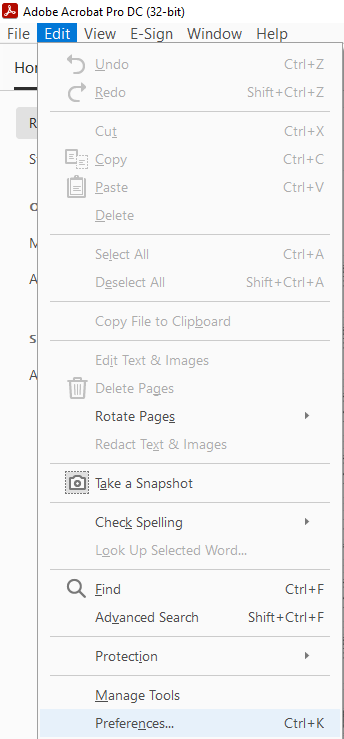
- In the top left hand corner select "Edit"
- Then select "Preferences" at the bottom of the section
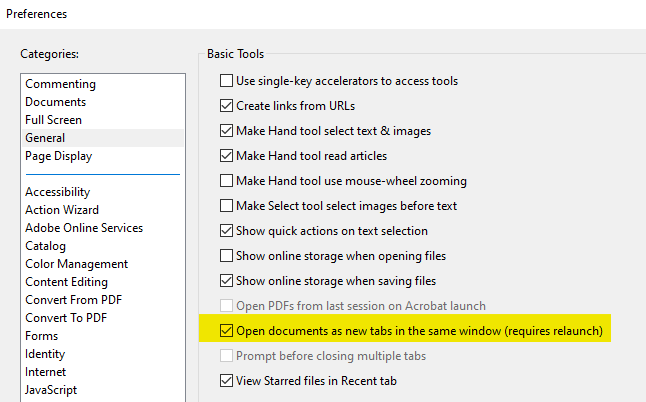
- Under categories choose "General", in the top left box
- Then uncheck the box "Open documents as new tabs in the same window (requires relaunch)"
- Make sure you scroll to the bottom to click "OK" to save your settings
- Then you will need to restart your Adobe Acrobat for this to change to take place